


- Every step of an in-person tune-up
- Yours to keep — no subscription
- Signed & notarized by Apple
- Updates itself (it asks first)
- No personal data collected
Everything I do on a tune-up visit.
I built Mac Tune-Up to run my own tune-up checklist, so you can get the same results without waiting for an appointment.
| On the checklist | Me, in person | Mac Tune-Up |
|---|---|---|
| Clears caches, logs and junk files | ||
| Removes unused apps and the files they leave behind | ||
| Deletes forgotten installers | ||
| Finds what's filling up your storage | ||
| Runs macOS maintenance (DNS, Mail/Safari/Messages databases, Spotlight) | ||
| Checks login items and background apps | ||
| Repairs permissions and network glitches when needed | ||
| Tells you in plain English what was done | ||
| Run it anytime, without booking — pay once, no subscription | — | |
| Answers your other tech questions | — |

Three tools. One friendly window.
My in-person tune-up checklist, organized into three tools you can run anytime.
Clean & Optimize
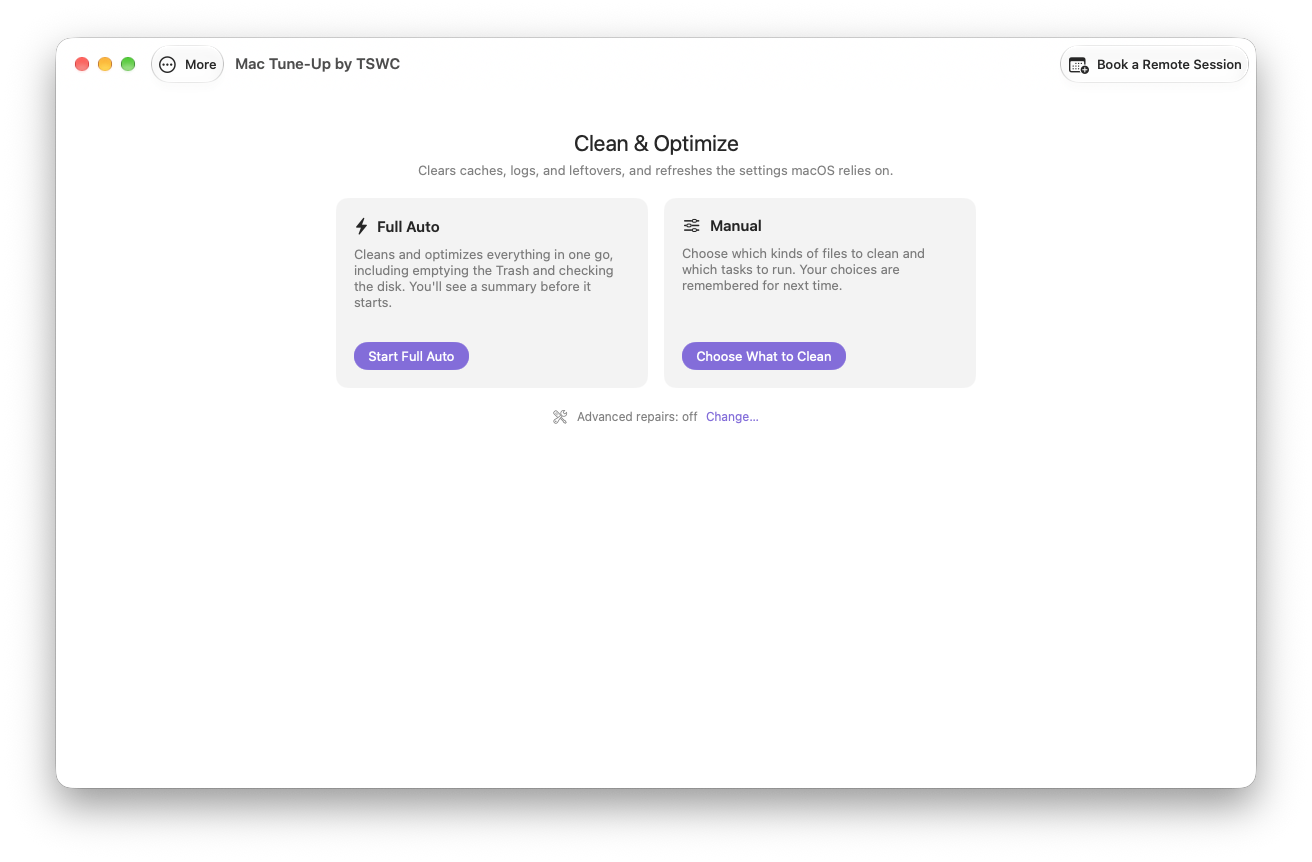
Clears caches, logs and leftovers, then runs the maintenance chores macOS never gets around to. Full Auto does it all; Manual lets you pick.
See how it works →Uninstall & Remove
Removes apps along with the support files they quietly leave behind — plus the old installers you forgot you downloaded.
See how it works →Disk Analyzer
A map of your storage. See what's big, what's safe to clean, and where all that space actually went.
See how it works →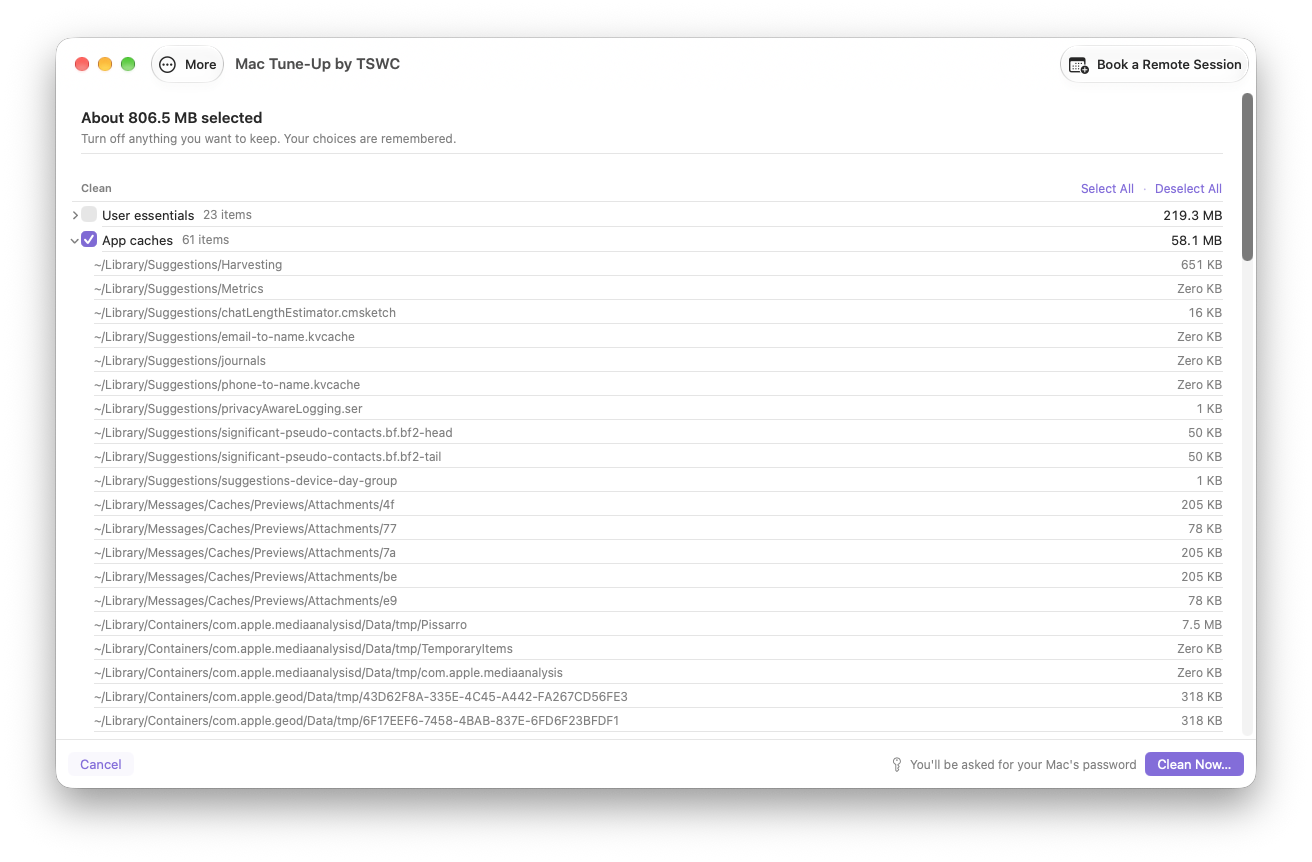
Check first. Clean second.
Start with Clean & Optimize a full preview of what can go, sorted by category with sizes. Nothing is touched until you confirm.
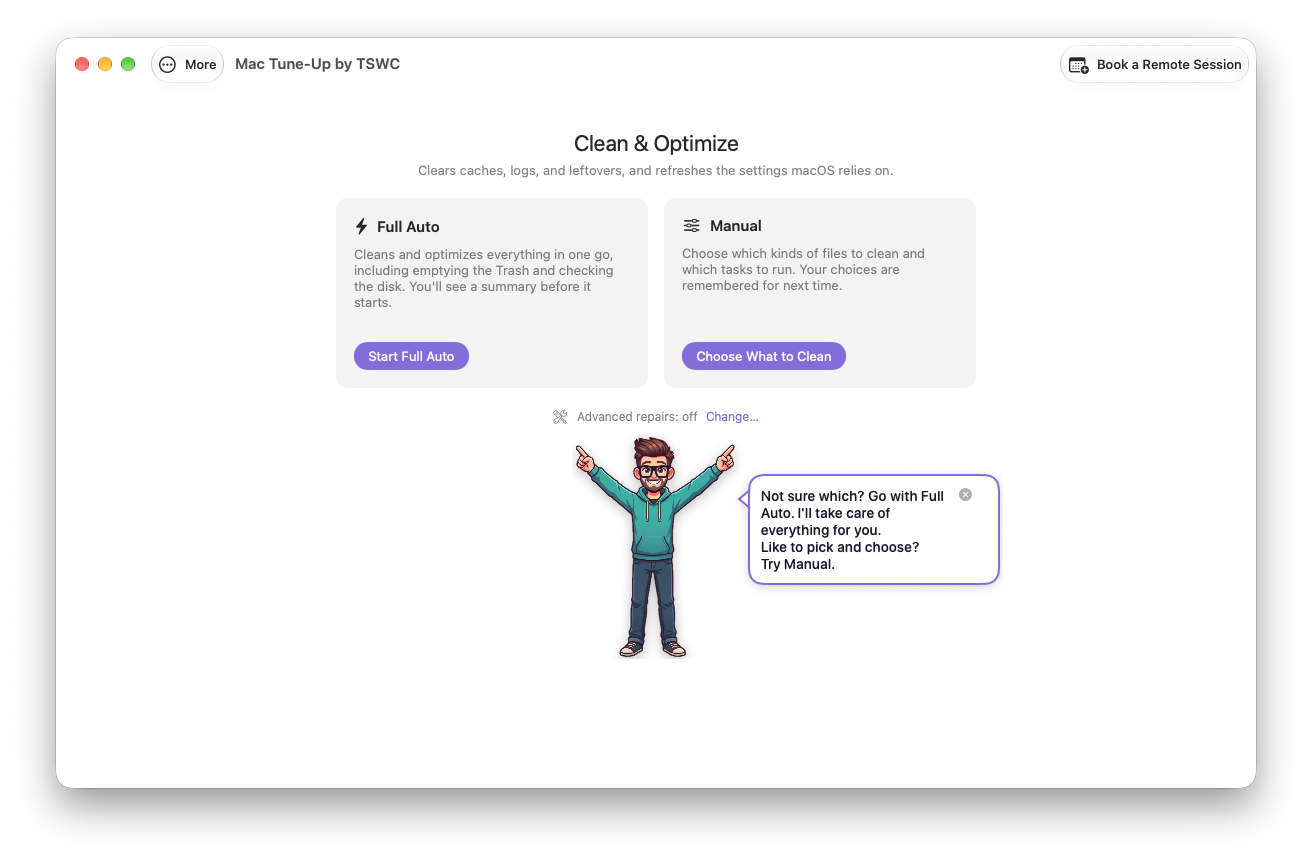
- Full Auto or Manual. Full Auto runs every cleanup and maintenance task in one go. Manual gives you a switch for each cleanup category and maintenance task — and remembers your picks.
- The chores macOS skips. DNS flush, database tune-ups for Mail, Safari and Messages, Spotlight and launch-agent cleanup, and a login-items check.
- Advanced repairs, opt-in. Network reset, home-folder permissions repair and a Spotlight rebuild — each runs only if it finds the problem.
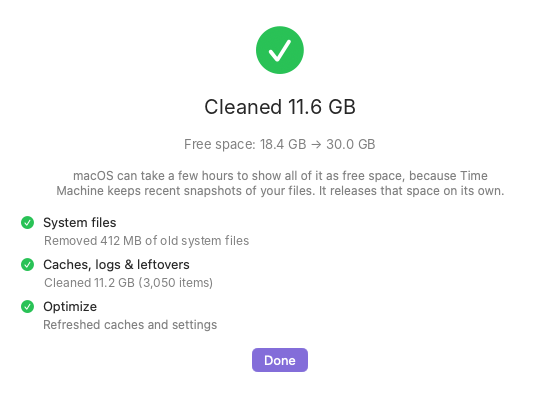
- A report in plain English. How much was cleaned, free space before and after, and why anything was skipped (a VPN still connected, an app still open).
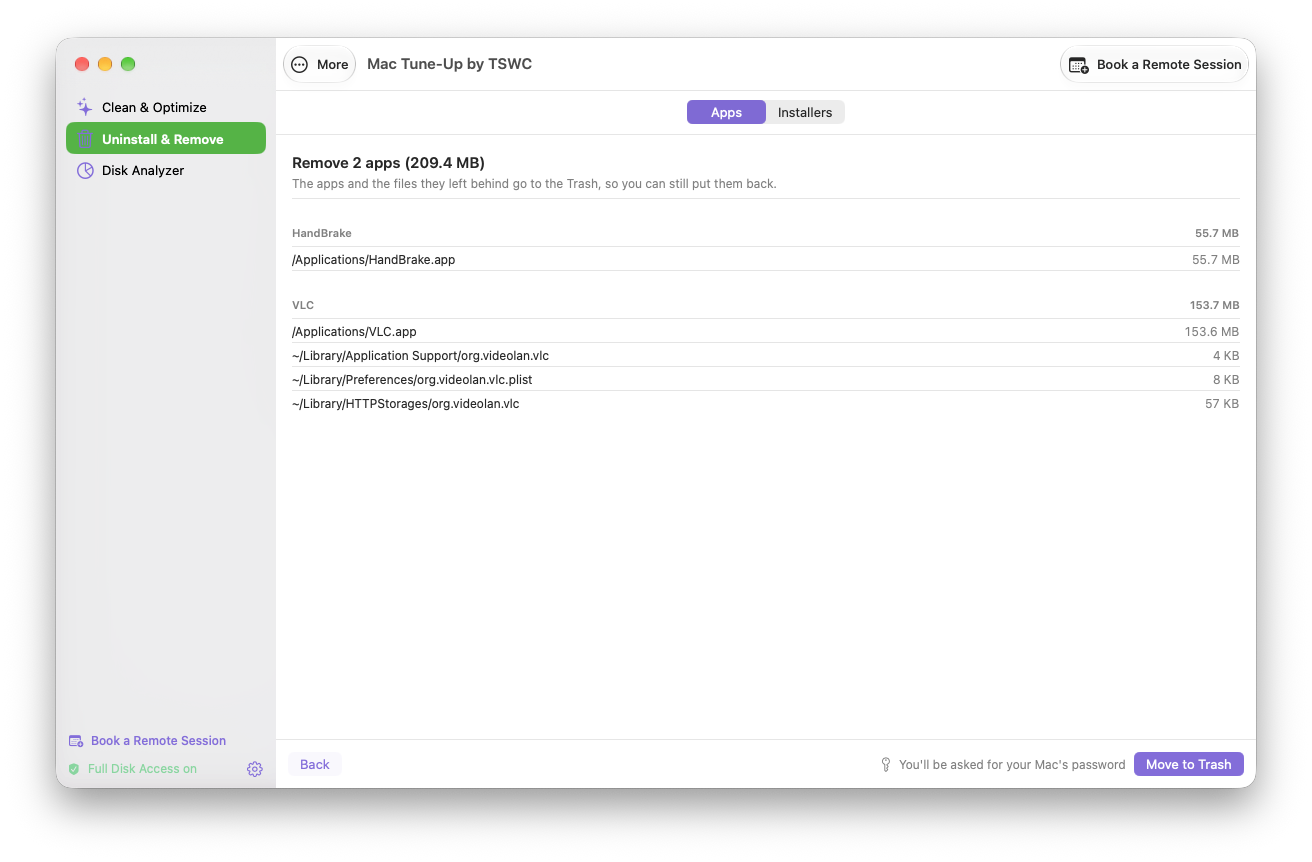
Dragging an app to the Trash isn't uninstalling it.
Apps leave caches, preferences and support files scattered across your Mac. Mac Tune-Up finds them and removes the whole lot.
- Apps, with their leftovers. Search, tick, preview every file that's going, then remove. Open apps are quit for you first.
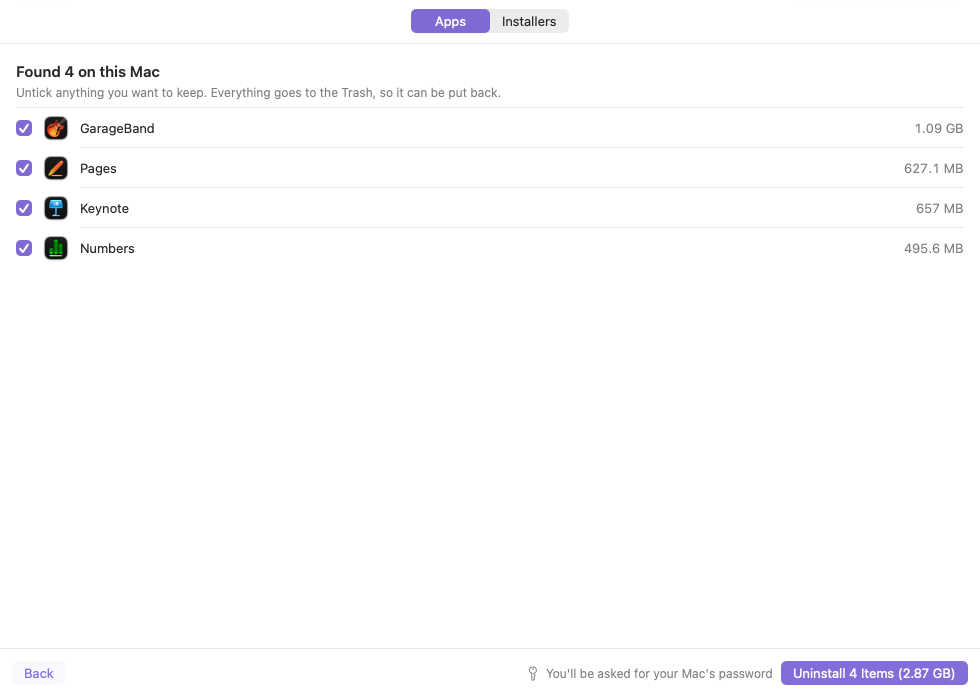
- Quick Uninstall. One checklist for the space-hogs people rarely use: GarageBand and its sound library, Pages, Keynote, Numbers, Dropbox, Google Drive and OneDrive.
- Old installers. Finds forgotten .dmg, .pkg, .iso and .xip files in Downloads and beyond. None are selected until you choose.
- Your synced files stay put. Removing Dropbox, Google Drive or OneDrive never touches the files in their sync folders.
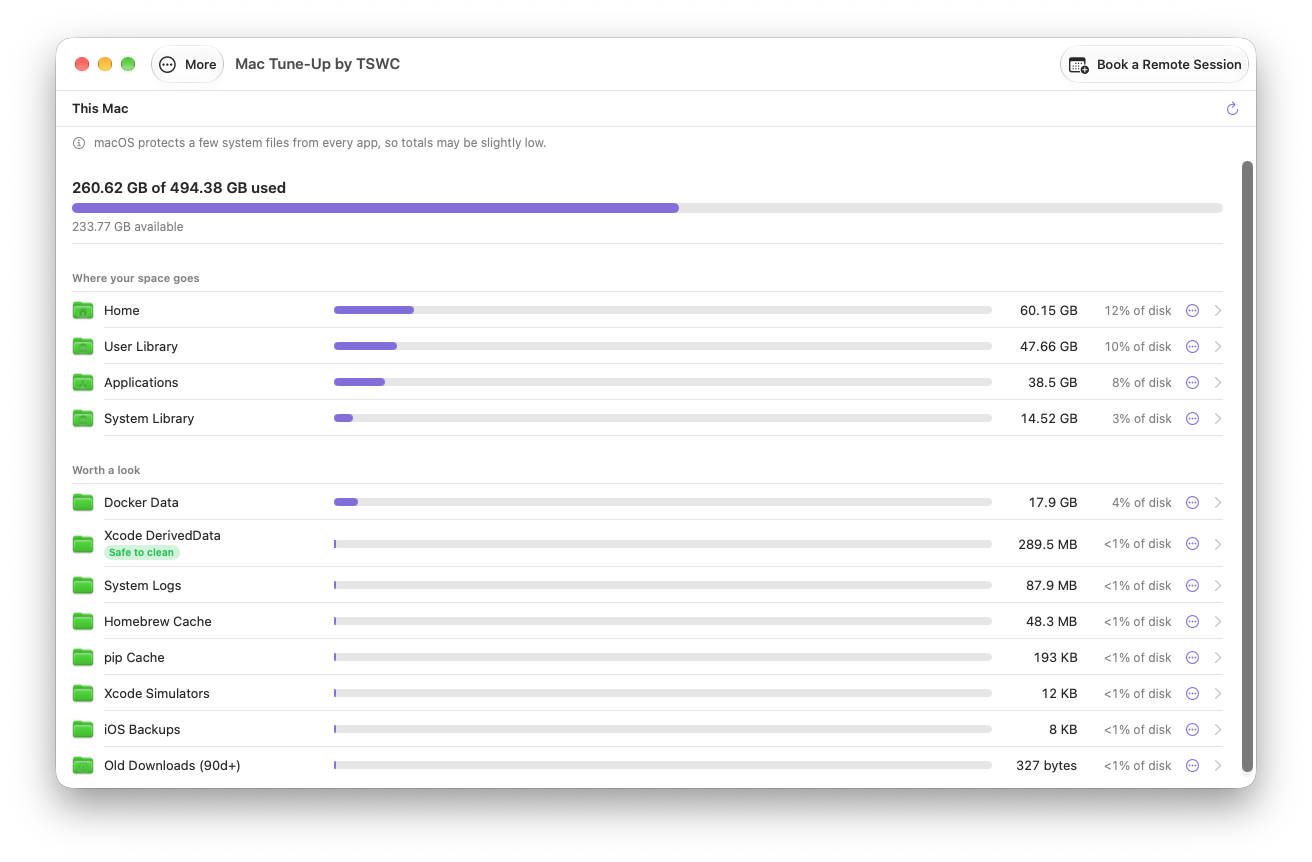
"Storage almost full." Now you'll know why.
See your whole Mac at a glance, then click into any folder to find what's taking up room.
- Worth a look. The usual suspects surfaced for you, with a Safe to clean badge where it's genuinely safe.
- Drill down. Breadcrumbs, size bars and percentages for every folder, plus a Largest Files view.
- Act on it. Show in Finder or Move to Trash, right from the list.
- Guard rails built in. Your home folder, Documents, Library and system locations can't be trashed from here.
Stuck? Book me right from the app.
Every screen has a Book a Remote Session button. One click opens my booking calendar right there, so when something needs more than a tune-up, you're never left hunting for help.
- Always in the toolbar and the sidebar
- Pick a time that suits you; I'll connect remotely
- Bring any tech question, not just your Mac
Cleaning tools shouldn't be scary.
I built Mac Tune-Up for my own clients' Macs, so every step that removes something is careful by default. And unlike many similar apps, I don't collect or keep any of your personal data.
Preview before anything happens
Every clean and every uninstall shows you the list first. You confirm; then it runs.
Trash first, so you can change your mind
Removed apps and files go to the Trash. Manual mode leaves emptying it up to you; Full Auto tells you up front that it empties it.
Important folders are off-limits
Your home folder, Documents and system locations can't be trashed from the Disk Analyzer.
Only macOS asks for your password
Mac Tune-Up never builds its own password box. When admin rights are needed, you'll see the real macOS prompt — and you'll be told before it appears.
Shed the apps you never use
Installed Dropbox, Google Drive or OneDrive just to open something a relative or colleague shared? Remove it without worry. You won't lose a single file: everything stays in your account and in your folders on this Mac.
Clears clutter, never your files
The cleanup removes caches and leftover junk only. Your documents, photos, projects and browsing history stay exactly as they are.
Two ways to tune up.
Unlike many Mac cleaning apps, there's no subscription: pay once and the app is yours. Do it yourself, or have me set it up with you.
- No subscription. Pay once and own it, updates included
- All three tools, plus Techie Chris
- Book me from inside the app if you get stuck
- Signed and notarized by Apple
- Apple Silicon and Intel Macs
Instant download after checkout.
- I install it and set up the permissions
- We run your first tune-up together
- I answer the "should I delete this?" questions
- Keep the app afterward, updates included
First remote session? Use code 1STREMOTE.
Questions, answered.
Is it safe to use on my Mac?
Yes, by design. Every clean and uninstall shows you a preview first, removed items go to the Trash, and important folders are blocked.
Does Mac Tune-Up collect my personal data?
No. I don't collect or keep any of your personal data, unlike many similar apps. What's on your Mac stays on your Mac.
Does it really do what you'd do on a tune-up visit?
Yes. It runs the same cleanup, uninstall, maintenance and storage checks I do in person. What an app can't do is answer your other tech questions or look at a problem that isn't about tune-up work. For that, book a session.
Why does it need Full Disk Access?
macOS hides many caches and leftover files from apps unless you allow it. Full Disk Access lets Mac Tune-Up see them. Techie Chris walks you through turning it on.
Why does it ask for my password?
Some cleanup and uninstall tasks need administrator rights. You'll be told before it happens, and the prompt is always macOS's own — never one Mac Tune-Up made.
Which Macs does it work on?
Apple Silicon and Intel Macs running macOS Sonoma (14) or later.
Why isn't it on the Mac App Store?
App Store rules sandbox apps in a way that blocks the deep cleaning and admin tasks Mac Tune-Up does. Instead it's downloaded directly, signed and notarized by Apple.
Is there a subscription?
No. You pay once and Mac Tune-Up is yours to keep, with updates included. No monthly fee, no renewal reminders.
How do updates work?
Once a day, Mac Tune-Up looks for a newer version and asks before installing it. You can also choose Check for Updates… from the app menu.
Where's the source code?
Mac Tune-Up is open source under the GPL-3.0 license. The source is included in the download and available at https://mac-tune-up.techsupportwithchris.workers.dev/latest-source.

Have other tech support issues? Tech Support with Chris
Mac Tune-Up does not collect or keep any personal data.
Mac Tune-Up by TSWC is open-source software licensed under GPL-3.0. Not affiliated with Apple Inc. Mac and macOS are trademarks of Apple Inc.