
These simple upgrades can turn a cable-tangled desk into a home office you don't dread sitting down at.
Chris and his cats Darth Pickles and Jedi Master Dill are surprised by the cable mummy living under their desk.
Somewhere between "I'll deal with it later" and a cable mummy crawling out from under the desk, most home offices pick up a mess nobody planned for. Fixing it doesn't take a renovation — just a handful of the right products, used the right way.
Get the cables under control
Two things do most of the work:
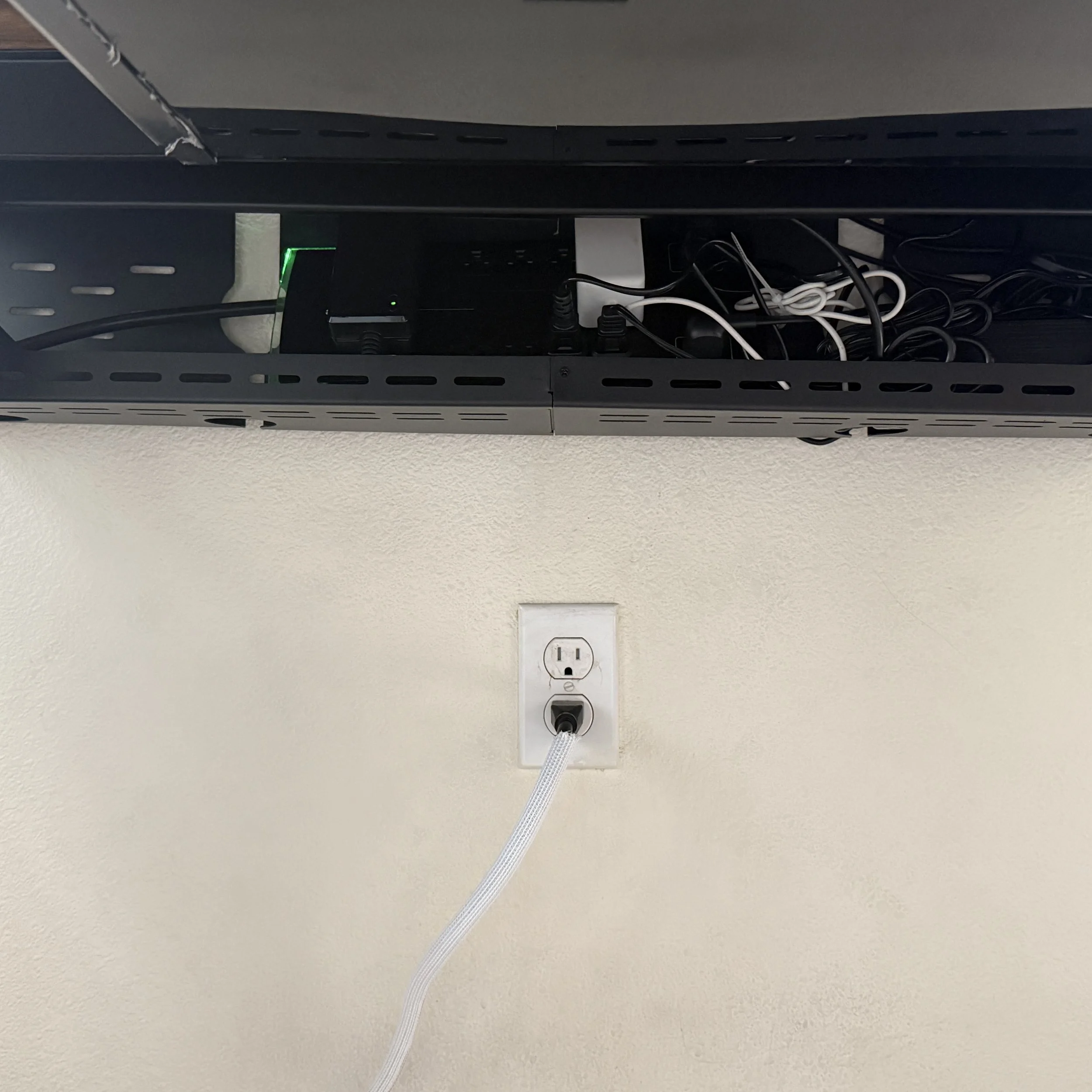
A surge-protected power strip, mounted to the underside of the desk or tucked into a cable tray, keeps outlets within reach without a tangle on the floor. Look for one with built-in USB-C ports if you're charging a phone or tablet daily — one less adapter to lose.
An under-desk cable tray or raceway that runs the length of the desk lifts everything — power strip, dock, speaker cables — up off the floor. This alone is usually the biggest difference in a before-and-after.
From there, reusable velcro cable ties and braided cable sleeves bundle three or four loose cords into one clean run, and small stick-on cable anchors route a charging cable exactly where you reach for it instead of leaving it to dangle or disappear behind furniture.
Worth adding while you're at it
Once the cables are handled, a few small upgrades make the rest of the desk work better too:
A wrist rest under the keyboard — and one for the mouse, if you're not using a trackpad — takes pressure off during long typing sessions.
A desk mat protects the surface, gives the mouse a consistent glide, and hides the seam where cables cross under the keyboard.
A laptop stand raised to eye level, paired with an external keyboard and mouse, is one of the easiest posture fixes there is — and it frees up the desk space underneath for everything above.
A second monitor, even a modest one, is a real productivity jump for anyone juggling email, documents, and video calls at once.
A desk lamp with adjustable warmth, or a small monitor light bar, makes a bigger difference on video calls and evening work than most people expect, for not much money.
Chris’ Current Desk Setup
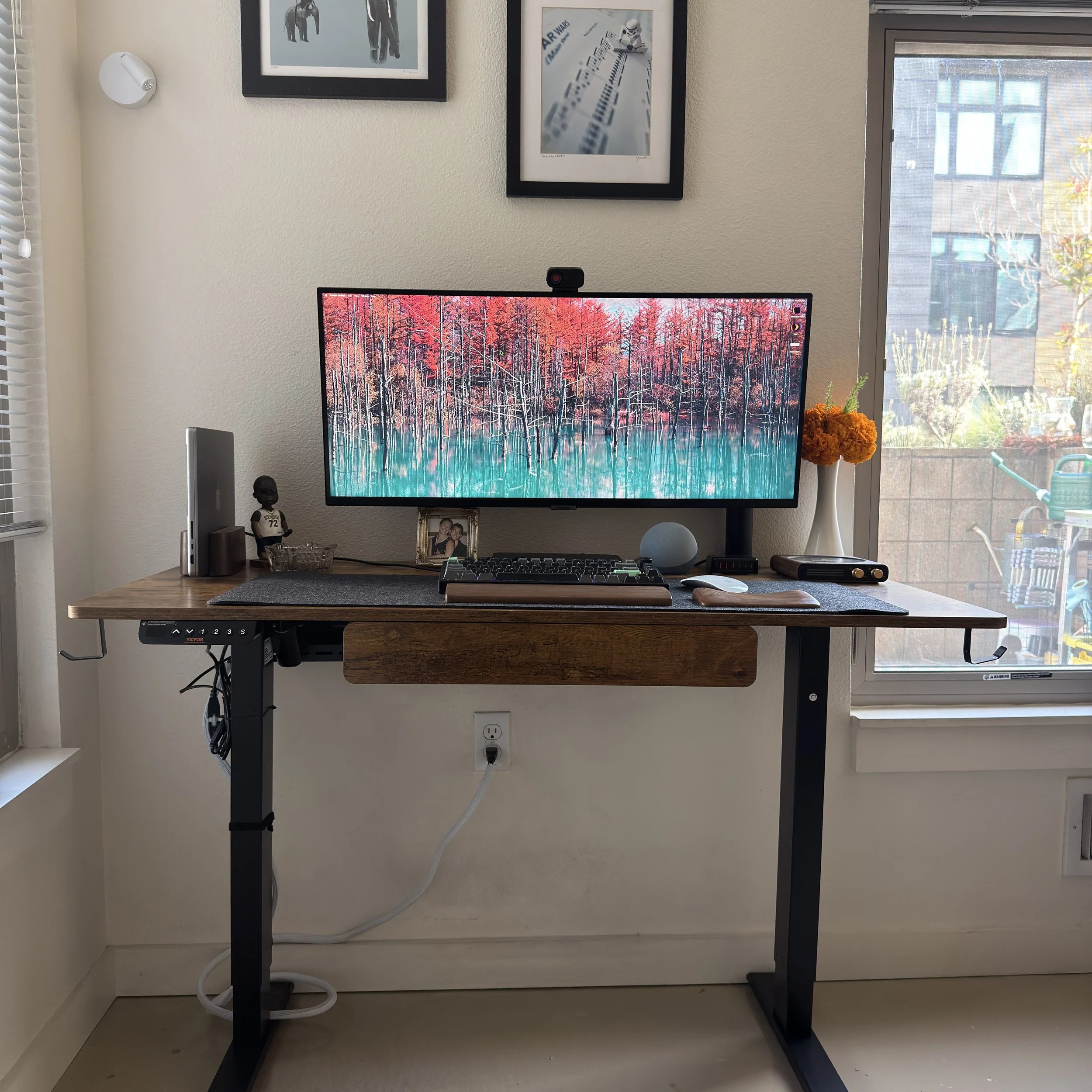
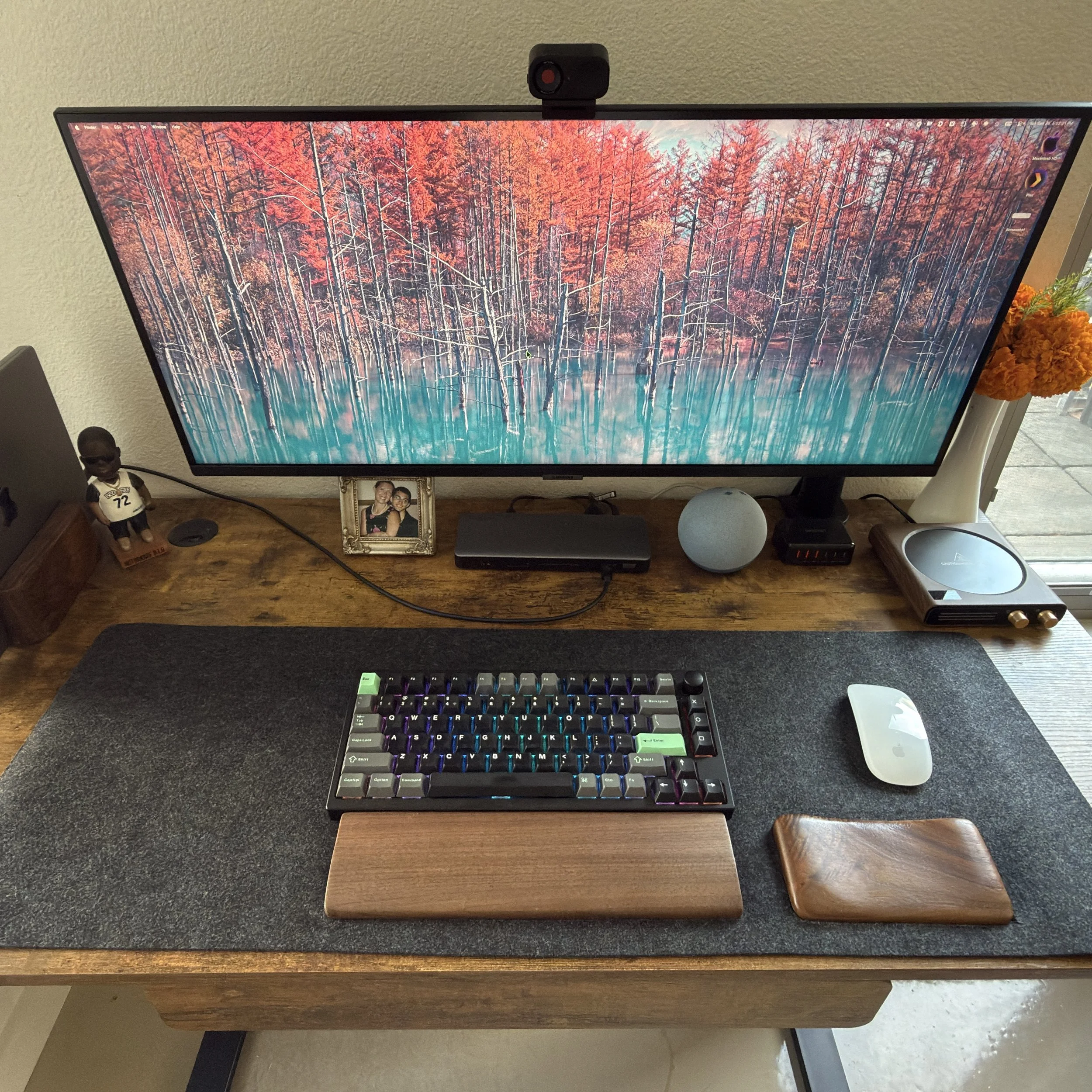
For power users: battery backup
A power strip protects against surges, but it won't do anything when the power actually goes out mid-task. A UPS (uninterruptible power supply) sits between the wall and your setup and kicks in instantly, keeping a desktop, monitor, router, and modem running through a short outage — or buying enough time to save your work and shut down cleanly during a longer one.
Worth it if you run a desktop tower rather than a laptop, deal with frequent outages, or just don't want a blackout to cost you an afternoon's work.
If you'd rather skip the shopping trip, let’s talk about how we can spruce up your workspace and we can order everything together.
I may receive compensation from purchases made through the links in this post.
